Disclosure: This post contains affiliate links. If you sign up through our links, we earn a small commission at no extra cost to you. We only recommend tools we use and trust.
This post contains affiliate links. If you sign up through our links, we earn a small commission at no extra cost to you. We only recommend tools we use and trust.
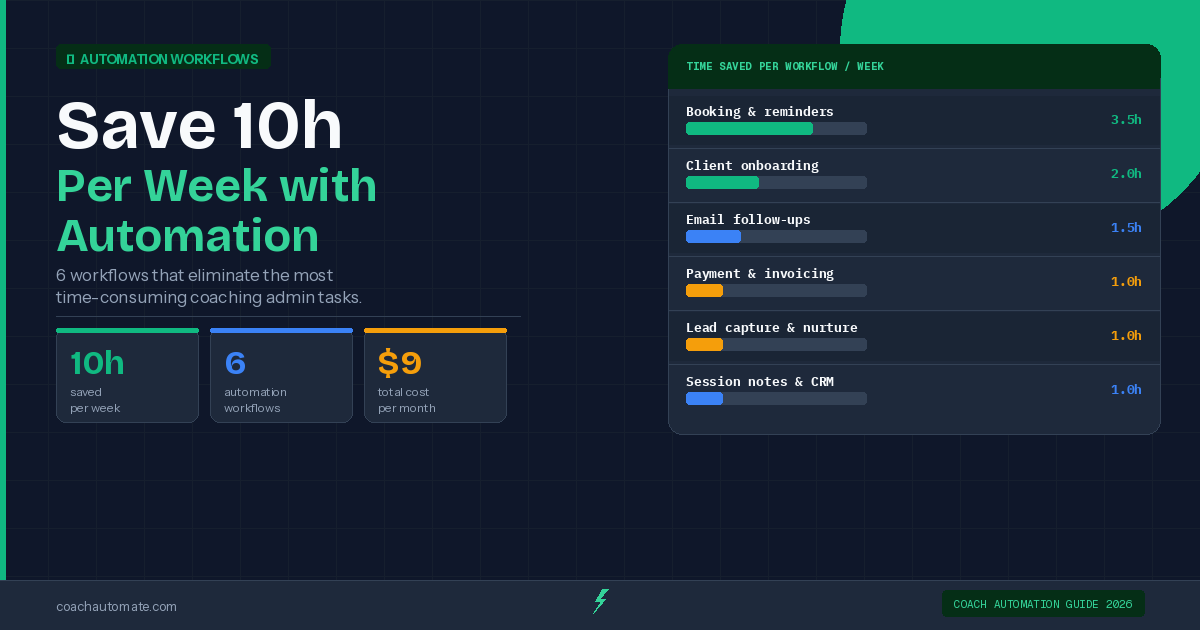
Coaching admin work steals 8-15 hours weekly from your actual coaching. Automate client onboarding, scheduling reminders, email nurture, payment follow-ups, and feedback collection using Make.com, Kit, and SavvyCal. You'll reclaim time worth $78,000 annually and reduce no-shows by 60-80%.
If you run a coaching business, you already know the problem: you spend more time on admin work than on actual coaching. Scheduling, onboarding emails, follow-ups, payment reminders, session notes — it never ends. The result is a business that grows slowly, burns you out, and keeps you stuck in tasks that a simple automation could handle in seconds.
This guide covers everything you need to know about coaching business automation in 2026. You will learn which processes to automate first, which tools do the job best, and exactly how to set up the systems that save coaches 8-15 hours every week.
Which coaching workflows are most important to automate first. The best automation tools for coaches in 2026. Step-by-step setup guidance for each key system. How to build a full automation stack without technical expertise. Real cost savings and time savings from automation.
Free: 25-Point Coaching Automation Checklist
Download the exact checklist used to audit and automate coaching businesses. Covers onboarding, scheduling, email, payments, and follow-ups.
Download Free Checklist → →Why Coaching Businesses Lose 10+ Hours a Week to Admin Work
The average coaching business spends between 8 and 15 hours per week on tasks that have nothing to do with coaching. These are repeatable, predictable tasks that follow the same steps every single time — which makes them perfect candidates for automation.
Here is where most of those hours go:
- Client onboarding: sending welcome emails, sharing intake forms, collecting information, scheduling first sessions — manually, one client at a time.
- Scheduling and reminders: back-and-forth emails to find a time, manual reminder messages before each session, no-show follow-ups.
- Email follow-ups: checking in after sessions, nurturing leads who expressed interest but did not book, re-engaging dormant clients.
- Payment collection: sending invoices, following up on late payments, tracking who has paid and who has not.
- Session feedback: manually sending feedback forms, collecting responses, organizing results.
The real cost is not just time. Every hour spent on admin is an hour not spent coaching, not spent on business development, and not spent on your own life. For a coach billing $150 per hour, 10 hours of weekly admin work represents $1,500 per week in lost billing potential — or $78,000 per year.
At $150/hr billing rate, 10 hours/week of manual admin = $78,000/year in unbilled time. Automation systems cost $50-150/month and take 4-8 hours to set up once. The ROI calculates itself.
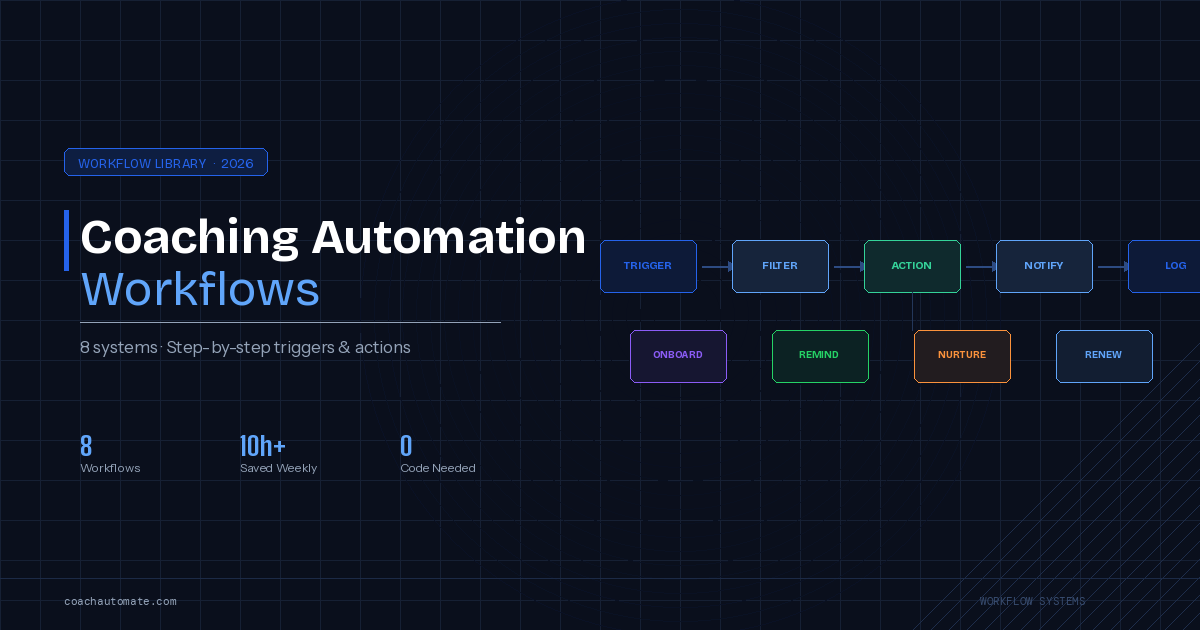
The 8 Core Coaching Automation Workflows
Want this in PDF form?
Get the 32-page Coach Automation Playbook — every workflow in this article, plus 5 more, ready to implement this week.
✓ Check your inbox — the playbook is on its way!
No spam. Unsubscribe anytime.
Not every process should be automated at once. Start with the workflows that have the highest impact — the ones you do most often, that take the most time, and where delays cost you the most.
1. Client Onboarding Automation
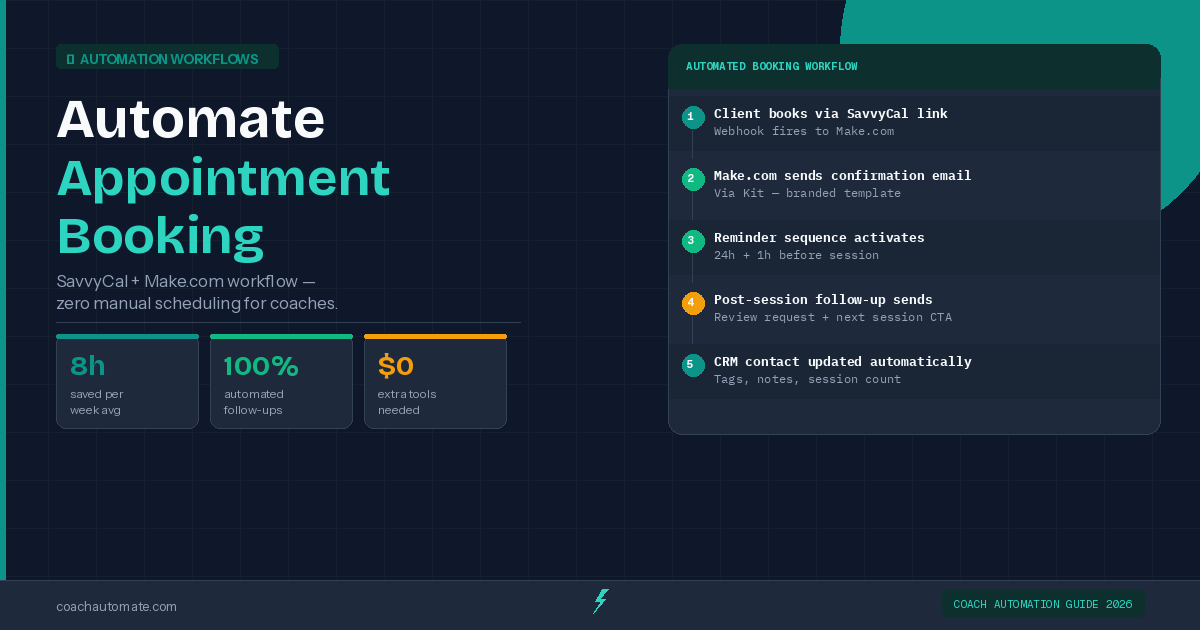
This is the highest-impact workflow for most coaching businesses. When a new client books or pays, the onboarding automation triggers immediately: it sends a welcome email, delivers the intake form, schedules the first session, and adds the client to your CRM — all without you touching anything.
Tools used: Make.com (workflow automation) + Kit (email delivery) + SavvyCal (scheduling).
2. Session Reminder System
No-shows are expensive. An automated reminder system sends a reminder 48 hours before the session, another 2 hours before, and a WhatsApp message 30 minutes before. No-show rates typically drop by 60-80% with this system alone.
Tools used: Make.com + Kit or WATI (WhatsApp).
3. Lead Nurture Email Sequence
Most coaching leads do not book immediately. They need 3-7 touchpoints before making a decision. An automated email nurture sequence keeps you in front of those leads with value — without you writing a single email manually after setup.
Tools used: Kit or GetResponse (email automation).
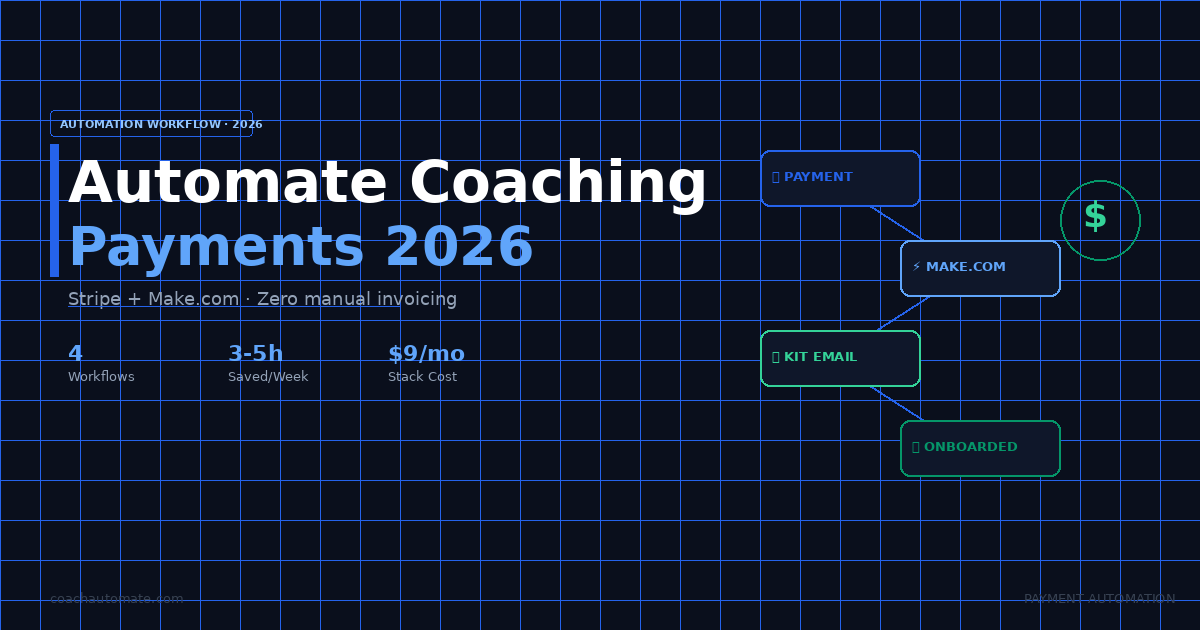
4. Payment Follow-Up Automation
Late payments are a universal coaching problem. An automated payment follow-up sends a polite reminder 1 day after a missed payment, a firmer one after 3 days, and escalates if needed — all automatically.
Tools used: Make.com + Kit.
5. Post-Session Feedback Collection
Gathering feedback after each session improves your coaching and gives you testimonial material. An automation sends a feedback form 30 minutes after each session ends and collects responses in a spreadsheet.
Tools used: Make.com + Typeform or Google Forms.
6. Lead Capture and CRM Entry
When someone fills out a contact form on your website, they should instantly receive a response email and be added to your CRM with their details. No manual copy-paste, no delays.
Tools used: Make.com + Kit + your CRM.
7. Client Renewal Reminder
Coaching packages end. An automated renewal reminder goes out 2 weeks before a package expires, offering a rebooking link and a special returning-client offer — recovering clients who would otherwise quietly disappear.
Tools used: Make.com + Kit.
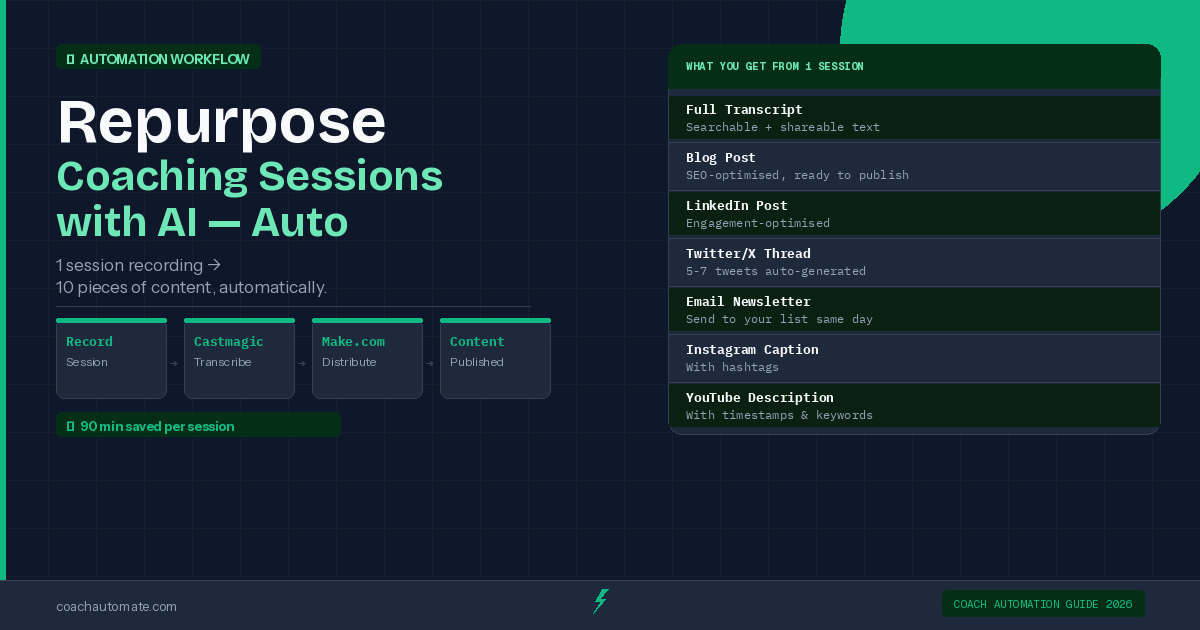
8. Content and AI Repurposing
If you record your coaching sessions or create content, AI tools can automatically transcribe, summarize, and repurpose that content into social posts, email newsletters, or course material.
Tools used: Castmagic (AI transcription and repurposing).
Start Automating with Make.com
Make.com is the most powerful and flexible automation platform for coaching businesses. Free plan available. No coding required. Connect 1,000+ apps including Kit, SavvyCal, Google Sheets, and WhatsApp.
Try Make.com Free → →Best Automation Tools for Coaches in 2026
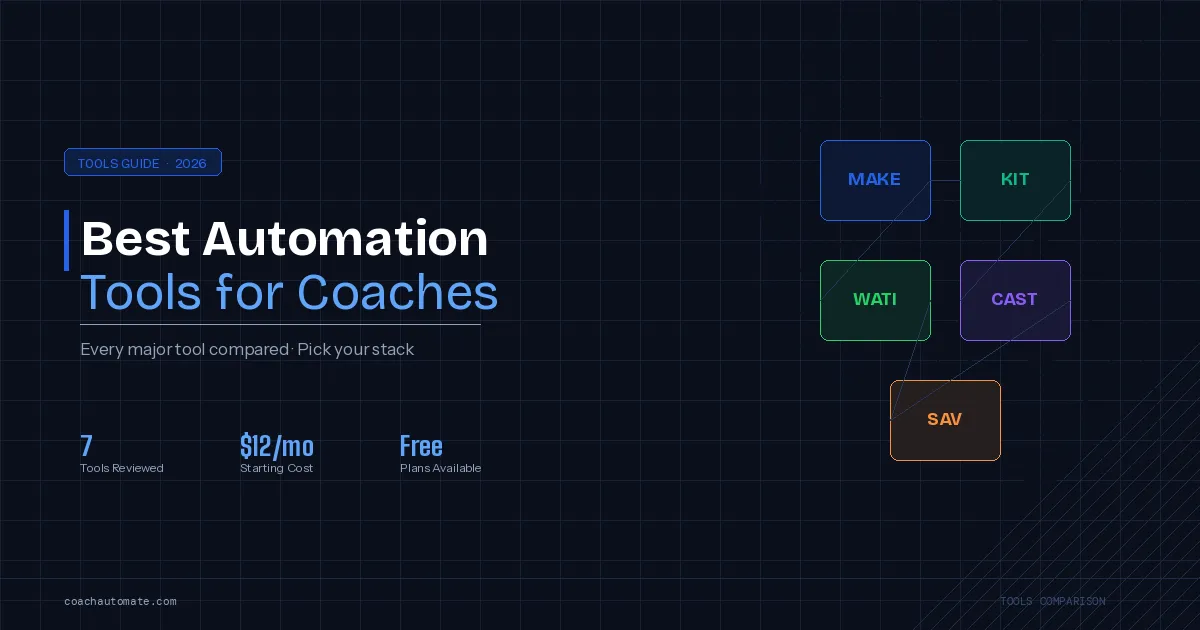
You do not need to use every tool on this list. Most coaching businesses can automate 80% of their admin work with just 3-4 tools. Here is what each tool does and when to use it.
Make.com — The Automation Engine
Make.com (formerly Integromat) is the core of any coaching automation stack. It connects your other tools together and automates the logic: if a client books a session, then send a welcome email and add them to a spreadsheet. If a payment is missed, then send a follow-up after 24 hours.
- Best for: Connecting apps, building multi-step workflows, automating complex logic
- Pricing: Free plan (1,000 operations/month), paid from $9/month
- Skill level: Beginner-friendly with visual drag-and-drop interface
Kit (ConvertKit) — Email Automation
Kit is the email marketing and automation platform most commonly used by coaches, course creators, and consultants. It handles your email list, automated sequences, broadcast emails, and tagging so the right message goes to the right person at the right time.
- Best for: Lead nurture sequences, onboarding emails, weekly newsletters, list segmentation
- Pricing: Free up to 10,000 subscribers, paid from $25/month
- Skill level: Beginner-friendly
SavvyCal — Scheduling Automation
SavvyCal is the scheduling tool that eliminates back-and-forth booking emails. Clients book directly in your calendar, it handles timezone conversion automatically, and it integrates with Make.com to trigger your onboarding workflow the moment a booking is confirmed.
- Best for: Session booking, discovery calls, consultation scheduling
- Pricing: From $12/month
- Skill level: Very easy to set up
WATI — WhatsApp Automation
WATI connects the WhatsApp Business API to your coaching workflows. It sends automated WhatsApp reminders, follow-ups, and check-ins — channels that get significantly higher open rates than email. Particularly effective for session reminders and re-engagement.
- Best for: Session reminders, lead follow-up, client check-ins via WhatsApp
- Pricing: From $40/month
- Skill level: Moderate — requires WhatsApp Business API setup
Castmagic — AI Content Automation
Castmagic automatically transcribes and repurposes your coaching session recordings, podcast episodes, or video content. It generates summaries, social posts, email content, and show notes in minutes — turning one piece of content into five.
- Best for: Session transcription, content repurposing, show notes, social content
- Pricing: From $39/month
- Skill level: Beginner-friendly
GetResponse / ActiveCampaign — Advanced Email
For coaches who need more advanced segmentation, sales funnels, or webinar automation, GetResponse and ActiveCampaign offer additional capabilities beyond Kit. GetResponse includes a website builder and webinar tools. ActiveCampaign has stronger CRM features.
- Best for: Advanced email funnels, webinar automation, CRM integration
- When to upgrade: When Kit's segmentation limits your strategy
How to Build Your Coaching Automation Stack (Step by Step)
Most coaches make the mistake of trying to automate everything at once. The better approach is to build your stack in three stages, starting with the workflows that save the most time first.
Stage 1: Foundation (Week 1-2)
Set up the three tools that form the foundation of your automation stack. This alone will eliminate the most repetitive daily tasks.
- Create a Make.com account (free plan is enough to start).
- Set up Kit and import or create your email list.
- Connect SavvyCal to your calendar and embed the booking link on your website.
- Build your first Make.com scenario: when SavvyCal booking confirmed → send Kit welcome email.
Stage 2: Client Experience (Week 3-4)
Once the foundation is in place, add the automations that improve the client experience — and reduce no-shows.
- Build session reminder workflow: 48h before, 2h before, 30min before.
- Create a 5-email onboarding sequence in Kit (welcome, intake form, first session prep, post-session, upsell).
- Set up post-session feedback automation: form sends 30 min after session, results go to Google Sheets.
Stage 3: Growth and Retention (Week 5-8)
Now focus on automations that grow your business — lead nurture, re-engagement, and renewals.
- Build a 7-email lead nurture sequence in Kit for cold leads.
- Set up client renewal reminder: triggers 14 days before package expiry.
- Add payment follow-up automation for late or missed payments.
- If you create content: set up Castmagic for automatic session transcription and repurposing.
Make.com free plan + Kit free (up to 10k subscribers) + SavvyCal $12/month = $12/month to start. Full stack with paid Make.com plan + Kit Creator + SavvyCal = $60-80/month. At a $150/hr billing rate, you recover that cost in 30 minutes of saved admin time per week.
Automation by Coaching Type: What Matters Most
Different types of coaches have different priority workflows. Here is a quick overview of where to focus first based on your coaching niche.
Life Coaches
The highest-priority automation for life coaches is client onboarding and long-term follow-up. Life coaching relationships tend to be ongoing, so client retention systems — renewal reminders, check-in emails, milestone celebrations — deliver the highest ROI.
Business Coaches
Business coaches typically deal with higher-value clients and more complex onboarding. Proposal delivery automation, contract signing triggers, and payment follow-up systems are the priority. The client intake workflow should also capture detailed business context automatically.
Executive Coaches
Executive coaches often work with multiple stakeholders and complex scheduling across time zones. SavvyCal's automatic timezone conversion is essential. Session prep automation — sending agenda and pre-session notes automatically — is also high value.
Fitness Coaches
Fitness coaches typically have high session volume and need tight scheduling automation. WhatsApp reminders via WATI work particularly well for fitness client communication. Payment automation is also critical given the recurring payment structure.
Career Coaches
Career coaches often work with leads who are in a long research and consideration phase. A well-designed 10-14 email lead nurture sequence in Kit is the highest-impact automation — keeping the coach visible through a long sales cycle without manual effort.
Common Automation Mistakes Coaches Make
After studying dozens of coaching automation setups, the same mistakes come up again and again. Here is what to avoid.
Mistake 1: Automating Too Much at Once
Building ten automation workflows simultaneously before any of them are working well is the fastest way to create a chaotic, unreliable system. Start with one workflow, test it with real clients, fix the issues, then add the next.
Mistake 2: Making Automations Feel Robotic
Automated emails that sound automated destroy trust faster than no email at all. Write your automation emails in your own voice, include personal touches, and never send anything that sounds like it was generated by a machine. Test every email by asking: would I send this to a friend?
Mistake 3: Not Testing Before Going Live
Run every new automation through a complete test cycle with a test account before real clients experience it. Check every email, every timing, every trigger condition. One broken automation that sends the wrong email at the wrong time can damage a client relationship.
Mistake 4: Forgetting the Human Follow-Up
Automation should handle the repetitive, predictable work — not replace human judgment. High-stakes moments like contract renewals, difficult conversations, or client concerns should always involve a human response. Use automation to create space for those human moments, not eliminate them.
Mistake 5: Never Reviewing What You Built
Automation workflows need quarterly reviews. Tools update, client needs change, and your business evolves. A workflow you built six months ago may no longer match how you actually work. Schedule a 30-minute automation review every three months.
Measuring the Impact of Your Coaching Automation
You cannot improve what you do not measure. Track these metrics to understand what your automation is actually delivering.
Time Saved Per Week
Before you set up your automation stack, track how many hours you spend on admin tasks in a typical week. After 30 days of running your automations, measure again. Most coaches save 8-15 hours per week by the end of Month 1.
No-Show Rate
Track your session no-show rate before and after implementing automated reminders. The benchmark before automation is typically 15-25%. After a proper reminder sequence, it should drop to 3-8%.
Lead-to-Client Conversion Rate
Measure how many leads who enter your nurture sequence eventually book a session. A well-designed 7-email sequence typically improves lead conversion by 20-40% compared to manual follow-up.
Client Retention Rate
Track how many clients renew or rebook after their initial package. Automated renewal reminders and post-session follow-ups typically improve retention by 15-25%.
Use our free Coaching Automation ROI Calculator to calculate exactly how much your current admin workload is costing you — and which automations would have the fastest payback. Takes 2 minutes.
Frequently Asked Questions
Do I need technical skills to automate my coaching business?
No. Tools like Make.com, Kit, and SavvyCal are designed for non-technical users. Make.com uses a visual drag-and-drop interface — no coding required. Most coaches set up their first working automation within 2-3 hours.
How much does coaching automation cost per month?
You can start for as little as $12 per month (SavvyCal only). A full automation stack — Make.com paid plan + Kit Creator + SavvyCal — costs $60-80 per month. At a $150/hr billing rate, you recover that cost in under 30 minutes of saved admin time.
Which automation should I set up first?
Start with client onboarding automation. It is the workflow that runs every time you get a new client, it involves the most steps, and getting it wrong has the highest cost. Once onboarding is automated and working reliably, add session reminders as your second workflow.
Can automation make my coaching feel impersonal?
Only if you let it. The goal of automation is to handle the mechanical, repetitive parts of client communication — so you have more energy and time for the genuinely personal parts. Write your automated emails in your real voice. Include your name and personality. Automation should amplify your personal touch, not replace it.
Is Make.com or Zapier better for coaches?
Make.com is generally the better choice for coaching businesses. It offers more powerful multi-step workflows, a more intuitive visual interface, and significantly lower pricing than Zapier at equivalent operation volumes. Zapier has a slight advantage in simplicity for very basic automations, but for the workflows coaches actually need, Make.com wins.
How long does it take to set up a full automation stack?
Plan for 8-12 hours of total setup time spread across 2-3 weeks. This includes creating accounts, connecting tools, building workflows, writing emails, and testing everything. After setup, maintenance takes less than 1 hour per month.
Calculate How Much Admin Work Is Costing You
Use the free CoachAutomate ROI Calculator. Enter your client count, hourly rate, and weekly admin hours. Get an instant breakdown of your automation savings potential and the exact stack recommended for your business.
Open Free Calculator → →Get the Coach Automation Playbook — Free
One practical automation tip a week, plus the 32-page playbook as soon as you sign up. No filler, unsubscribe in one click.
✓ Check your inbox — the playbook is on its way!
Something went wrong. Please try again.
No spam. Unsubscribe anytime. We respect your inbox.