Disclosure: This page contains affiliate links. If you sign up through our links, we earn a small commission at no extra cost to you. We only recommend tools we use and trust.
This post contains affiliate links. If you sign up through our links, we earn a small commission at no extra cost to you. We only recommend tools we use and trust.
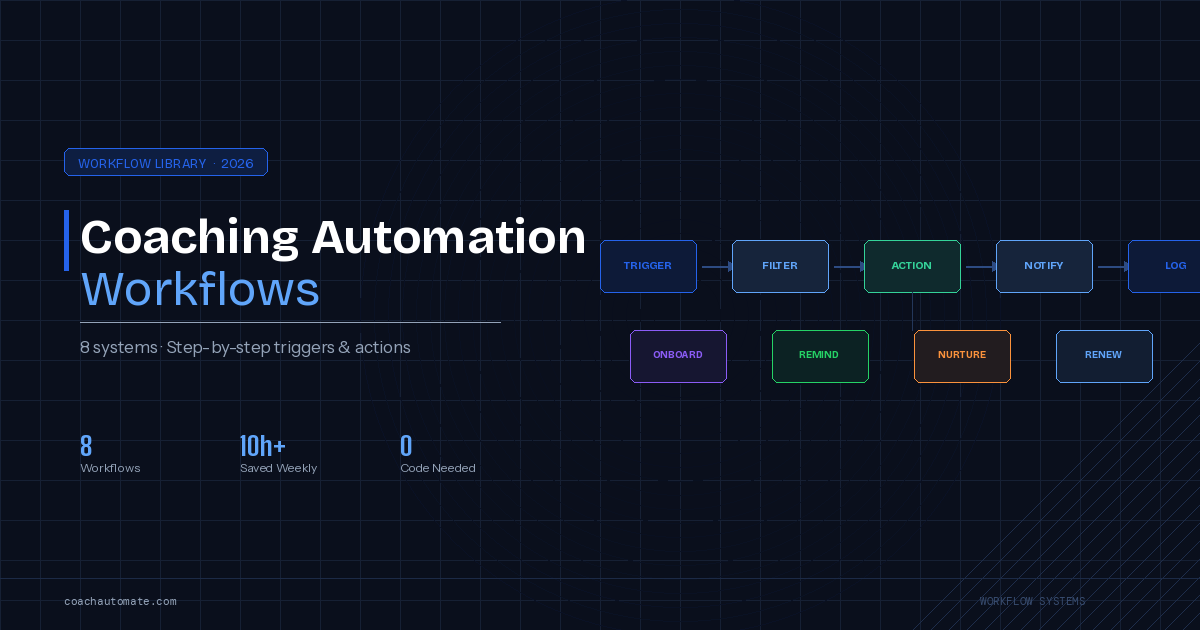
Most coaching businesses waste 10+ hours weekly on manual tasks that automation handles instantly. This guide covers 8 essential workflows—from client onboarding to payment reminders—with exact tools, triggers, and expected results. Implement them to reclaim your time and eliminate costly mistakes like missed follow-ups and no-shows.
Most coaching businesses run on manual processes that should have been automated years ago. The same welcome email written again. The same reminder sent by hand. The same follow-up forgotten because it fell through the cracks. Automation workflows replace all of that with systems that run themselves.
This guide covers the 8 most important coaching automation workflows. For each one, you will find what the workflow does, which tools to use, the exact trigger and action sequence, and what results to expect.
A workflow is an automated sequence of actions triggered by a specific event. Example: When a client books a session (trigger) → Send a confirmation email (action 1) → Add client to CRM (action 2) → Send a reminder 48 hours before (action 3). The workflow runs automatically, every time, without manual intervention.
Free: 25-Point Coaching Automation Checklist
Download the complete checklist of every automation a coaching business should have. Includes the trigger, tools, and expected outcome for each workflow.
Download Free Checklist → →Why Coaching Workflows Break Down Without Automation
Manual processes have a fundamental problem: they depend on you remembering to do them, having time to do them, and doing them the same way every time. All three conditions fail regularly in a busy coaching business.
The consequences are predictable. A new client does not get a welcome email for three days because you were in back-to-back sessions. A lead goes cold because the follow-up slipped for a week. A client no-shows because the reminder was not sent. A renewal opportunity is missed because there was no system to catch it.
Automation solves the consistency problem. Every client gets the same experience. Every deadline is caught. Every follow-up is sent. The system does not have busy days, forget things, or get overwhelmed.
Studies of service businesses show that 80% of sales require 5+ follow-up contacts, but 44% of salespeople give up after one follow-up. In coaching, the same pattern applies to lead nurture. Automated sequences ensure every lead gets the full follow-up sequence — every time.
Workflow 1: Client Onboarding Automation
This is the most important workflow in any coaching business. It runs every time you gain a new client — which means every delay, every missed step, and every inconsistency directly affects client first impressions.
What This Workflow Does
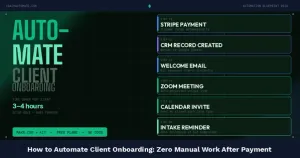
When a new client books and pays, the onboarding workflow automatically: sends a personalised welcome email, delivers the client intake form, schedules the first session, creates a client record in your CRM, and adds the client to your onboarding email sequence. All of this happens within minutes of payment, without you doing anything.
Tools Required
- Make.com — orchestrates the entire workflow
- Kit — sends the welcome email and onboarding sequence
- SavvyCal — handles first session scheduling
- Google Sheets or Airtable — client CRM/record keeping
Trigger and Action Sequence
- Trigger: New payment received (your payment processor) or new booking confirmed (SavvyCal)
- Action 1: Make.com creates a client record in Google Sheets with name, email, package, start date
- Action 2: Make.com adds client to Kit with the tag 'new-client' and 'onboarding'
- Action 3: Kit sends Welcome Email (immediate) with intake form link and first session booking link
- Action 4: Kit sends Intake Form Reminder (Day 2 if form not submitted)
- Action 5: Kit sends Pre-Session Preparation Email (Day 3 — what to expect, how to prepare)
- Action 6: Make.com sends session reminder 48h before first session
Expected Results
- Client receives welcome email within 5 minutes of payment — vs. hours or days manually
- Intake form completion rate increases by 30-50% with automated reminders
- First session quality improves because clients arrive prepared
- Time saved: 45-90 minutes per new client
Automate Client Onboarding with Make.com
Make.com connects your booking tool, email platform, and CRM into a single automated onboarding workflow. Free plan handles up to 3-4 new clients per week.
Start Make.com Free → →Workflow 2: Session Reminder System
No-shows are one of the most expensive problems in coaching. A missed session wastes a time slot that could have been filled, and it damages the coaching relationship. An automated reminder system eliminates most no-shows without you sending a single manual message.
What This Workflow Does
The reminder system sends automated messages at three points before each session: 48 hours before, 2 hours before, and 30 minutes before. Each reminder is calibrated for urgency — the 48-hour reminder is informational, the 2-hour reminder requests confirmation, the 30-minute reminder is a final alert.
Tools Required
- Make.com — reads calendar events and triggers reminders
- Kit — sends email reminders
- WATI (optional) — sends WhatsApp reminders for higher open rates
Trigger and Action Sequence
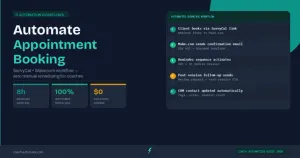
- Trigger: Make.com checks calendar every hour for sessions in the next 48 hours
- Action 1 (48h before): Email reminder with session details and rescheduling link
- Action 2 (2h before): Email + optional WhatsApp — 'Your session is in 2 hours. Join link: [link]'
- Action 3 (30min before): WhatsApp message (if WATI enabled) — final alert
- Action 4 (if no-show): Email 30 minutes after session start time — 'We missed you — reschedule here'
Expected Results
- No-show rate drops from 15-25% to 3-8% with a three-touch reminder system
- WhatsApp reminders reduce no-shows by an additional 30-40% compared to email-only
- Time saved: 20-40 minutes per week on manual reminder messages
Workflow 3: Lead Nurture Email Sequence
Most coaching leads do not book on the first contact. They need time to trust you, understand your approach, and decide whether coaching is right for them. An automated nurture sequence keeps you visible through that decision process — without you writing a single manual email after setup.
What This Workflow Does
When a new lead opts in to your email list — through a lead magnet, contact form, or website popup — they enter an automated sequence of 7-10 emails delivered over 3-4 weeks. Each email delivers genuine value while naturally moving the lead toward a discovery call booking.
Tools Required
- Kit or GetResponse — email sequence delivery and automation
- Make.com — adds leads to Kit from external sources (website forms, social media, etc.)
- SavvyCal — discovery call booking link embedded in emails
The 7-Email Sequence Structure
- Day 0 (immediate): Welcome email — deliver lead magnet, introduce yourself, set expectations
- Day 2: Value email — your most useful tip or insight, no pitch
- Day 4: Story email — your coaching journey, why you do this work
- Day 7: Case study email — a client result or transformation story (anonymised if needed)
- Day 10: Teaching email — a framework or system from your coaching approach
- Day 14: Soft pitch — 'I have a few spots open for discovery calls this month'
- Day 21: Final pitch — last invitation to book, create gentle urgency
Expected Results
- Lead-to-discovery-call conversion increases by 20-40% vs. manual follow-up
- Leads who complete the sequence are significantly more qualified — they know your approach
- Time saved: 3-6 hours per week on manual lead follow-up
Workflow 4: Payment Follow-Up Automation
Late payments are a persistent problem for coaching businesses. Most coaches are uncomfortable chasing payments manually — it feels awkward and damages the relationship. Automated payment follow-up removes the discomfort while ensuring payments are collected consistently.
What This Workflow Does
When a payment is overdue, the workflow sends a sequence of increasingly direct follow-ups at defined intervals. The tone escalates appropriately — from a polite reminder to a clear statement that access will be paused — without you having to write or send anything manually.
Tools Required
- Make.com — monitors payment status and triggers follow-up sequence
- Kit — sends payment reminder emails
- Your payment processor (Stripe, PayPal, etc.) — payment status trigger
Trigger and Action Sequence
- Trigger: Payment due date passed with no payment recorded
- Day 1: Friendly reminder — 'Just a heads up, your invoice is due. Pay here: [link]'
- Day 4: Second reminder — 'We noticed your payment has not been processed. Please update your details.'
- Day 7: Firm notice — 'Your account will be paused in 3 days if payment is not received.'
- Day 10 (if no payment): Automated pause flag in CRM — coach reviews and decides next step
Expected Results
- Payment collection rate improves by 20-35% with systematic automated follow-up
- Awkward manual payment conversations eliminated — the system handles it
- Time saved: 1-3 hours per week on payment administration
Workflow 5: Post-Session Feedback Collection
Consistent session feedback does two things: it improves your coaching by showing you patterns over time, and it generates testimonial material that powers your marketing. Most coaches collect feedback inconsistently because it requires manual effort after every session.
What This Workflow Does
Thirty minutes after each coaching session ends, a feedback form is automatically sent to the client. Responses are collected in a spreadsheet. When a client gives a high rating, an automated follow-up asks whether they would be willing to share a testimonial.
Tools Required
- Make.com — triggers form dispatch 30 minutes after session end
- Kit — delivers the feedback request email
- Typeform or Google Forms — the feedback form itself
- Google Sheets — stores all feedback responses automatically
Expected Results
- Feedback collection rate increases from 20-30% (manual) to 60-75% (automated)
- Testimonial pipeline established — high-rating clients are automatically asked to share
- Time saved: 30-60 minutes per week on manual feedback requests
Workflow 6: Client Renewal Reminder
Coaching packages end. Without a renewal system, clients quietly finish their package, intend to rebook, and then get busy and never do. An automated renewal workflow catches every expiring client relationship at the right moment.
What This Workflow Does
Fourteen days before a client's package expires, the renewal workflow sends a personalised email acknowledging the progress made and offering a rebooking link. Seven days before expiry, a second email highlights the value of continuing. On the expiry date, a final message invites the client to book a renewal call.
Tools Required
- Make.com — monitors package end dates in your CRM/spreadsheet and triggers the sequence
- Kit — sends the renewal email sequence
- SavvyCal — renewal call booking link
- Google Sheets — tracks package start and end dates
Expected Results
- Client renewal rate typically improves by 15-30% with a systematic renewal workflow
- Revenue recovered: at $1,500 average package value, converting one additional renewal per month = $18,000/year
- Time saved: 2-3 hours per month on manual renewal follow-up
If your coaching package is $1,500 and you have 10 clients per year, a 20% improvement in renewal rate = 2 additional renewals = $3,000 in recovered revenue per year. The automation setup takes 2-3 hours and costs nothing beyond your Make.com subscription.
Workflow 7: Lead Capture and CRM Entry
Every time someone fills out a contact form, downloads a lead magnet, or messages you on social media, their details should immediately appear in your CRM with all relevant context — without you doing anything manually. This workflow ensures no lead ever falls through the cracks.
What This Workflow Does
When a new lead submits any form on your website or landing pages, Make.com immediately adds them to your CRM with their name, email, source, and timestamp. They are tagged in Kit and enter the lead nurture sequence. You receive a notification. Everything happens in under 60 seconds.
Tools Required
- Make.com — central hub that receives the form submission and routes it
- Kit — email list entry and nurture sequence trigger
- Google Sheets — CRM record creation
- Your form tool (Typeform, Google Forms, or native website form)
Expected Results
- Zero leads lost due to manual entry errors or delays
- Every lead enters the nurture sequence within 60 seconds of submitting
- Time saved: 1-2 hours per week on manual CRM data entry
Workflow 8: Content Repurposing with AI
Coaches who create content — whether that is recording sessions, hosting podcasts, or creating educational videos — can use AI automation to multiply the value of every piece of content without additional manual work.
What This Workflow Does
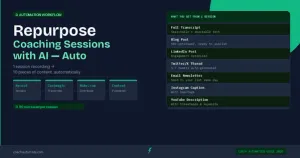
After each coaching session or content creation event, a recording is automatically sent to Castmagic. Castmagic returns a transcript, a summary, key insights, and draft social posts. These are automatically saved to a content library in Google Sheets or Notion. You review and publish — the content creation work is already done.
Tools Required
- Castmagic — AI transcription and content repurposing
- Make.com — automates the upload to Castmagic and the return of content to your library
- Google Sheets or Notion — content library storage
Expected Results
- One 60-minute coaching session or recording generates: transcript, summary, 5 social posts, 1 email newsletter, 3 short-form content ideas
- Content production time reduced by 70-80% compared to manual writing
- Consistent content output without additional creative effort
How to Prioritise: Which Workflow First?
If you are starting from zero, the order matters. Build workflows in the order of highest time savings and highest client impact first.
- Client onboarding automation — highest impact on client experience and time savings
- Session reminder system — directly reduces no-shows and associated revenue loss
- Lead nurture sequence — builds your pipeline passively while you coach
- Payment follow-up — eliminates awkward manual payment chasing
- Post-session feedback — builds testimonials and coaching quality data
- Client renewal reminder — recovers revenue from expiring packages
- Lead capture and CRM — ensures no lead is lost
- Content repurposing — multiplies the value of your existing content effort
Frequently Asked Questions
How long does it take to set up these workflows?
Workflow setup time ranges from 30 minutes (simple email reminder) to 3-4 hours (full onboarding automation with multiple steps). Plan for 8-12 hours total to build all 8 workflows, spread across 2-3 weeks. After setup, maintenance takes less than 30 minutes per month.
Do I need technical knowledge to build these workflows in Make.com?
No coding is required. Make.com uses a visual drag-and-drop interface where you connect modules (triggers and actions) to build workflows. Most coaches with no technical background are able to build working workflows within their first 2-3 hours using Make.com.
Can I use these workflows with Zapier instead of Make.com?
Yes. Most of these workflows can be replicated in Zapier. Make.com is recommended for coaching businesses because it handles multi-step workflows more elegantly and costs significantly less at equivalent operation volumes. But if you are already using Zapier and your workflows are working, there is no urgent need to switch.
What if something goes wrong with an automated workflow?
Make.com logs every workflow execution and shows you exactly where a failure occurred. Set up error notifications so you receive an email if any workflow fails. For high-stakes workflows like client onboarding, build in a manual review step for the first 2-3 weeks until you are confident the automation is reliable.
Calculate Your Automation Savings
Use the free CoachAutomate ROI Calculator. Enter your client count, session frequency, and hourly rate. Get an instant calculation of how much time and money these 8 workflows would save your coaching business.
Open Free Calculator → →