Disclosure: This post contains affiliate links. If you sign up through our links, we earn a small commission at no extra cost to you. We only recommend tools we use and trust.
This post contains affiliate links. If you sign up through our links, we earn a small commission at no extra cost to you. We only recommend tools we use and trust.
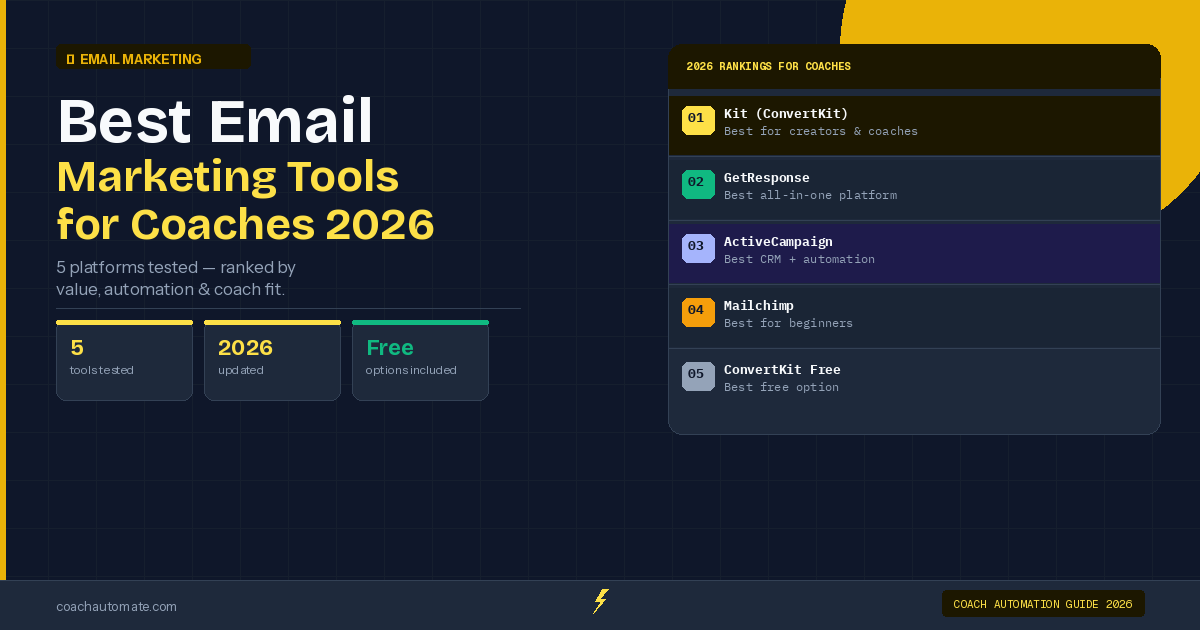
GetResponse bundles email, automation, webinars, and landing pages in one platform. For coaches running live sessions, the built-in webinar tool saves $15-50/month versus separate tools. Strong automation features and visual workflows make it powerful, but Kit is cheaper if you skip webinars.
Last reviewed: May 2026 by CoachAutomate Team
GetResponse markets itself as the all-in-one marketing platform — email, automation, landing pages, webinars, and paid ads in a single subscription. For coaches who currently pay for separate tools for each of these, the consolidation story is compelling. After testing GetResponse extensively, here is what coaches actually get — and where it falls short.
Related: Complete Guide to Coaching Automation
Related: Best Automation Tools for Coaches
Related: Coaching Automation Workflows
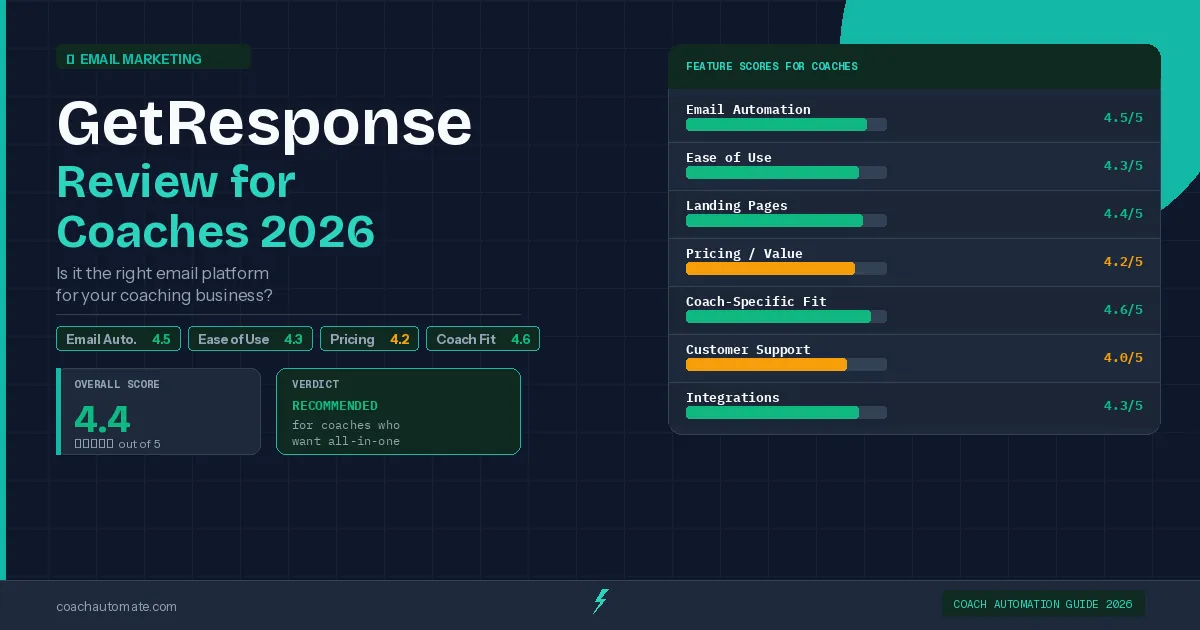
| Feature | Score | Notes |
|---|---|---|
| Email Automation | 4.5/5 | Visual builder, strong conditional logic |
| Webinar Hosting | 4.6/5 | Up to 100 attendees, integrated with email |
| Landing Pages | 4.4/5 | 100+ templates, A/B testing |
| Ease of Use | 4.2/5 | Clean UI, minor learning curve |
| Pricing / Value | 4.3/5 | Competitive when replacing 2-3 tools |
| Make.com Integration | 4.5/5 | Native module, full data mapping |
GetResponse's Standout Feature: Built-In Webinars
No other email platform at this price includes webinar hosting. GetResponse email marketing automation tools's webinar tool supports up to 100 attendees, connects registrations directly to email sequences, and records sessions automatically. For coaches who run regular group sessions, discovery call webinars, or live trainings, this eliminates the need for a separate Zoom or webinar platform — saving $15-50/month on tools alone.
Email Automation: Strong Visual Builder
Want this in PDF form?
Get the 32-page Coach Automation Playbook — every workflow in this article, plus 5 more, ready to implement this week.
✓ Check your inbox — the playbook is on its way!
No spam. Unsubscribe anytime.
GetResponse's Marketing Automation plan unlocks a visual workflow builder with conditional branching, scoring, and event-based triggers. Coaches can build sequences that fire different emails based on whether a subscriber opened the last email, clicked a specific link, or registered for a webinar. Combined with Automate workflows with Make.com, GetResponse can trigger sequences from external events — bookings, payments, form submissions — making it a genuinely powerful automation platform.
GetResponse Pricing for Coaches 2026
| Plan | Price/mo | Key Features | Best For |
|---|---|---|---|
| Email Marketing | $19 | Email, autoresponders, landing pages | Basic email only — limited for coaches |
| Marketing Automation | $59 | Full automation + webinars + scoring | Coaches who run webinars — recommended tier |
| Ecommerce | $119 | All features + abandoned cart + web push | Overkill for most coaches |
The $19 Email Marketing plan is too limited to justify choosing GetResponse over Kit's free tier. The $59 Marketing Automation plan unlocks webinars, full automation, and contact scoring — the features that make GetResponse worth choosing.
GetResponse vs Kit: Which Should Coaches Choose?
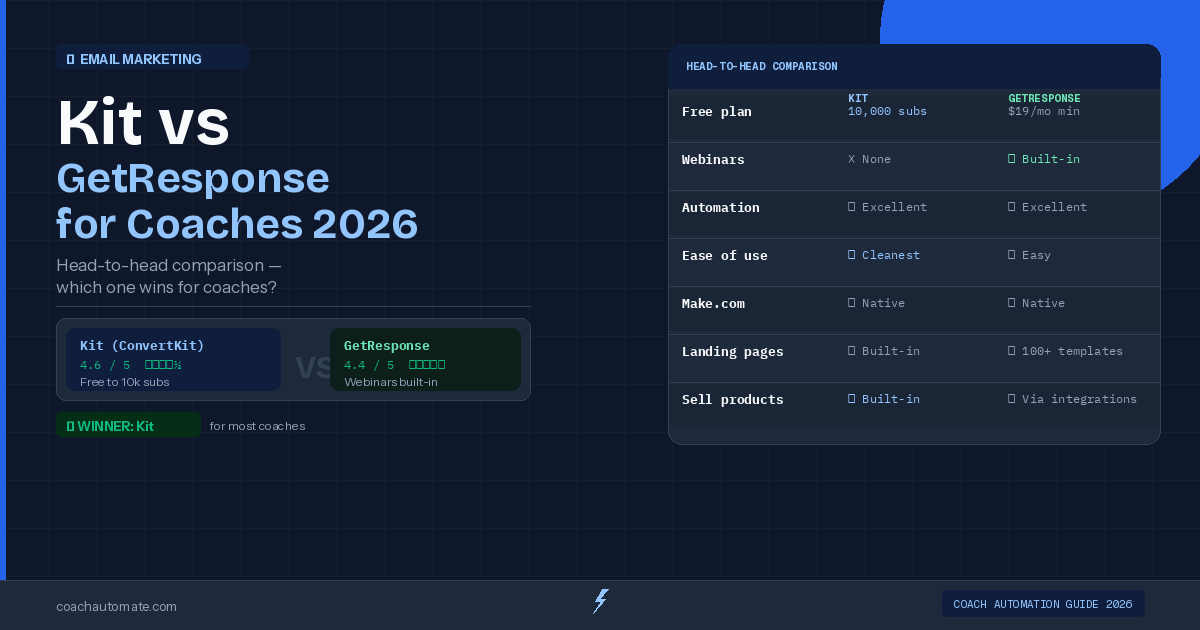
For coaches who do not run webinars, Grow your audience with Kit wins: free plan to 10,000 subscribers, cleaner interface, and lower cost for equivalent automation features. For coaches who run regular live events or group sessions, GetResponse wins: the built-in webinar tool at $59/month replaces both a separate email platform and a webinar tool. See our full Kit vs GetResponse comparison for the detailed breakdown.
GetResponse scores 4.4/5 for coaches. The webinar hosting and strong automation builder make it the best all-in-one platform for coaches who regularly run live events. Start with the 30-day free trial to evaluate whether the webinar tool fits your workflow.
Try GetResponse Free for 30 Days
Full access to webinar hosting, automation builder, and landing pages. No credit card required.
Try GetResponse Free → →→ Deep dive: Best Email Marketing Tools for Coaches 2026: 5 Platforms Ranked
Get the Coach Automation Playbook — Free
One practical automation tip a week, plus the 32-page playbook as soon as you sign up. No filler, unsubscribe in one click.
✓ Check your inbox — the playbook is on its way!
Something went wrong. Please try again.
No spam. Unsubscribe anytime. We respect your inbox.