Disclosure: This post contains affiliate links. If you sign up through our links, we earn a small commission at no extra cost to you. We only recommend tools we use and trust.
This post contains affiliate links. If you sign up through our links, we earn a small commission at no extra cost to you. We only recommend tools we use and trust.
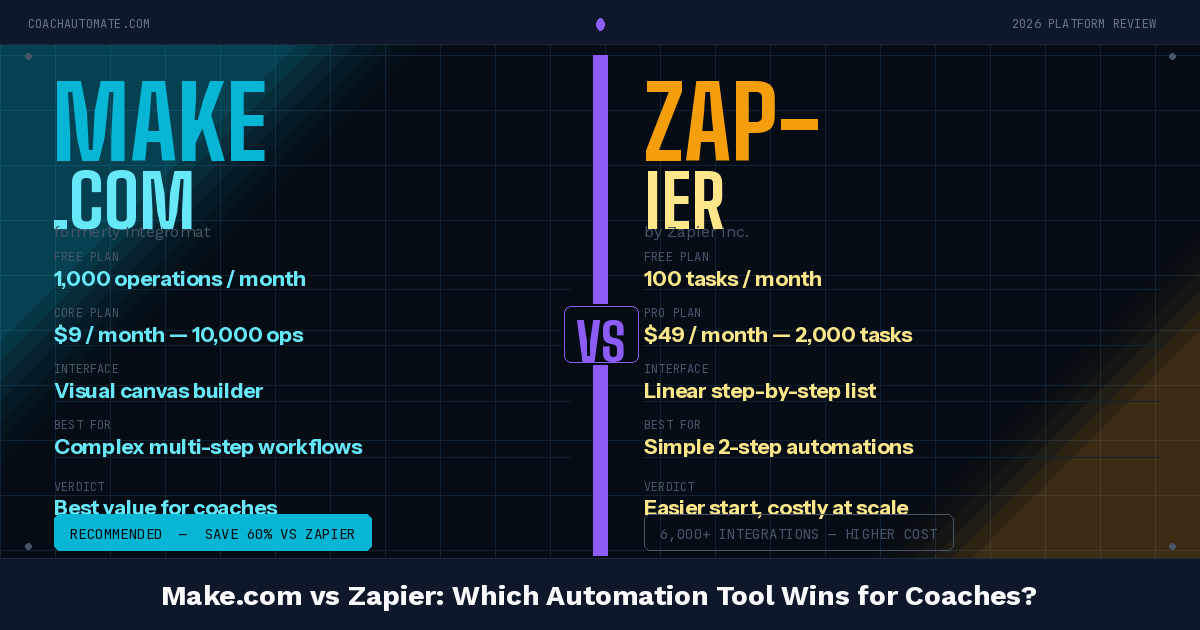
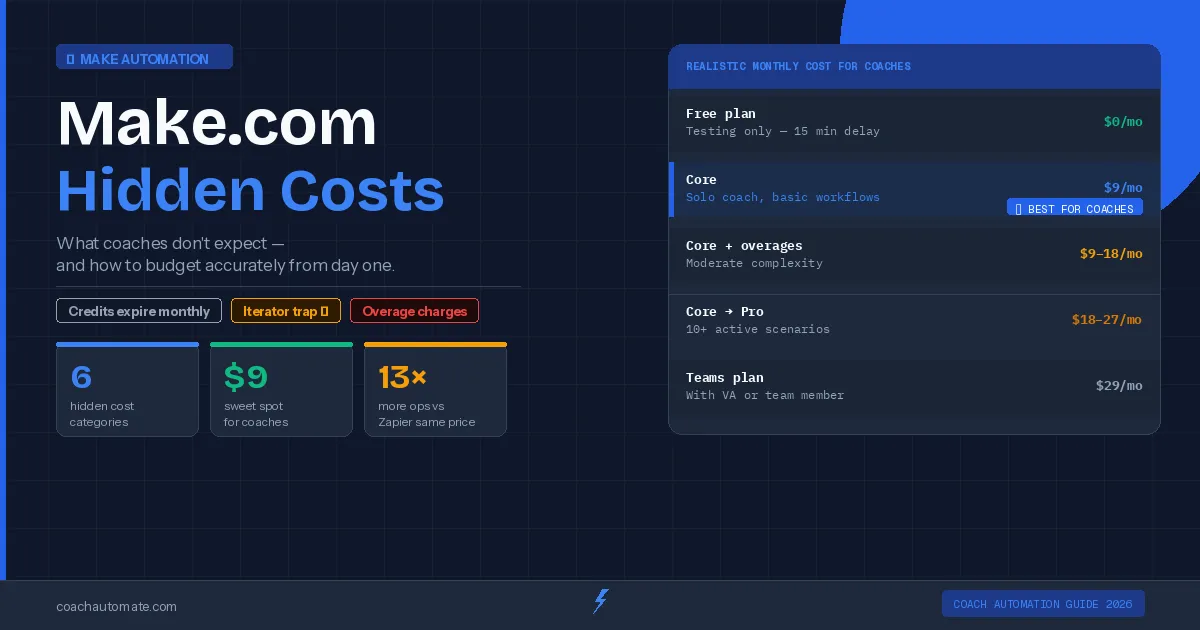
Make.com's advertised pricing hides real costs: operation overages silently pause your workflows, and you need additional tools to actually automate anything. Keep your stack under $20/month by using free tiers of Make, Kit, Notion, and SavvyCal.
Last reviewed: May 2026 by CoachAutomate Team
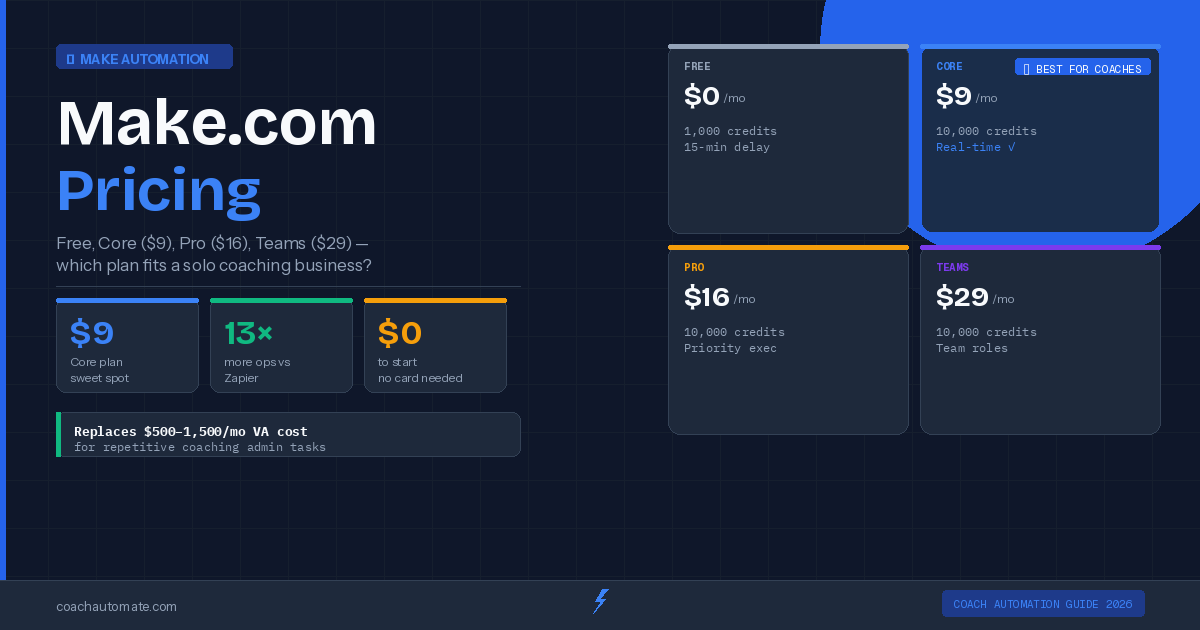
Make.com's website shows clean pricing: free, $9, $16, $29 per month. What it does not prominently display is what happens when you run out of operations, what features are locked behind higher tiers, and the cost of the other tools you need to buy to make your automation stack actually work. This guide covers every cost coaches encounter — and how to stay under $20/month total.
Related: Complete Guide to Coaching Automation
Related: Coaching Automation Workflows
Related: Best Automation Tools for Coaches
Cost 1: Operation Overages
When you exceed your monthly operation limit, Automate workflows with Make.com does not automatically charge you — it pauses your scenarios until the next billing cycle or until you upgrade. This means your automation stops running silently. Clients may not receive confirmation emails, onboarding sequences may not fire, and follow-ups may not send. The fix is monitoring your usage in the Make.com dashboard and upgrading before you hit the limit.
In Make.com, go to Organisation settings → Notifications → enable email alerts at 80% and 95% of your monthly operations. This gives you time to upgrade before your automations stop.
Cost 2: The Tools You Connect To
Want this in PDF form?
Get the 32-page Coach Automation Playbook — every workflow in this article, plus 5 more, ready to implement this week.
✓ Check your inbox — the playbook is on its way!
No spam. Unsubscribe anytime.
Make.com is a connector — it needs tools at each end of the workflow. The real cost of a coaching automation stack is the sum of these tools. Here is the realistic cost breakdown for a fully automated coaching business.
| Tool | Purpose | Cost/mo | Free Option? |
|---|---|---|---|
| Make.com Core | Automation engine | $9 | Yes — 1,000 ops/mo |
| Kit (ConvertKit) | Email marketing | $0–$25 | Yes — up to 10k subs |
| SavvyCal | Scheduling | $12 | 14-day trial |
| Notion | CRM / notes | $0–$10 | Yes — free plan |
| TOTAL | Full automation stack | $21–$46/mo | $0 starter stack |
How to Keep Costs Under $20/Month
The cheapest full-stack coaching automation runs on: Automate workflows with Make.com free plan (until you need more than 2 scenarios), Kit's free plan (up to 10,000 subscribers), Notion free plan for CRM, and SavvyCal at $12/month. Total: $12/month until your practice outgrows the free tiers. Most coaches run this stack for 6-12 months before needing to upgrade anything.
Start Make.com Free — Build Your Stack for $0
Free plan includes 1,000 operations and 2 active scenarios — enough to automate bookings and onboarding from day one.
Start Make.com Free → →Get the Coach Automation Playbook — Free
One practical automation tip a week, plus the 32-page playbook as soon as you sign up. No filler, unsubscribe in one click.
✓ Check your inbox — the playbook is on its way!
Something went wrong. Please try again.
No spam. Unsubscribe anytime. We respect your inbox.