Disclosure: This post contains affiliate links. If you sign up through our links, we earn a small commission at no extra cost to you. We only recommend tools we use and trust.
This post contains affiliate links. If you sign up through our links, we earn a small commission at no extra cost to you. We only recommend tools we use and trust.
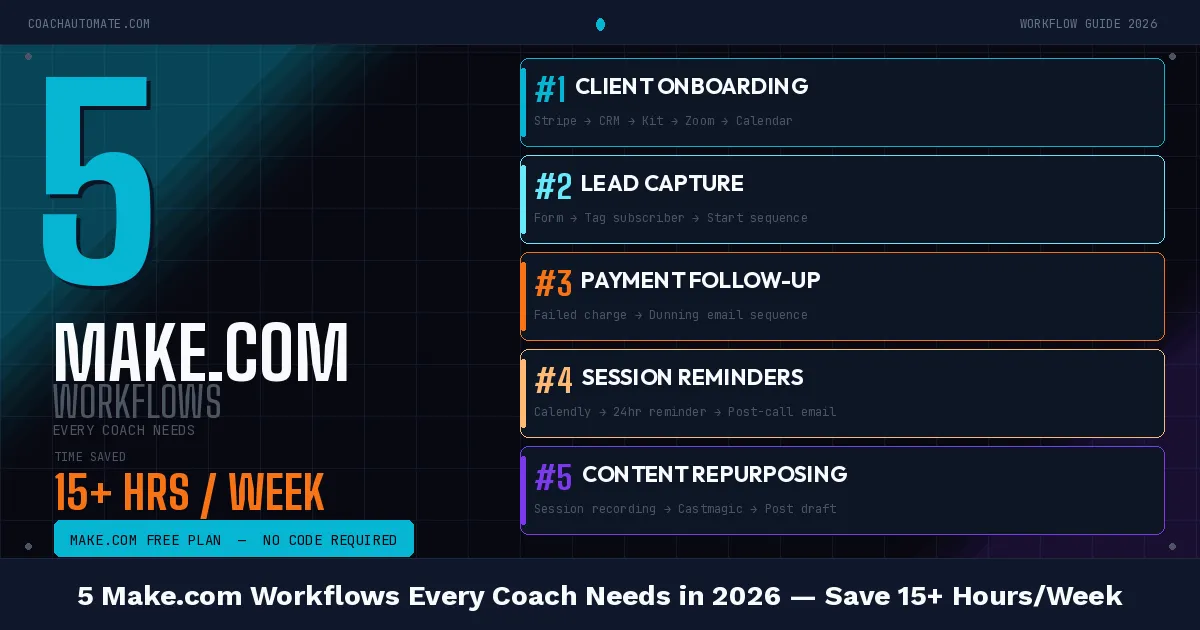
Coaches waste 10-15 hours weekly on admin tasks Make.com automates in seconds. Implement these 5 workflows—booking confirmations, onboarding, lead capture, post-session follow-ups, and payment receipts—to reclaim time and boost rebooking rates by 40-60%.
Last reviewed: May 2026 by CoachAutomate Team
Coaches who have not automated their workflows are spending 10-15 hours per week on tasks a computer handles in seconds. Booking confirmations, onboarding emails, session reminders, payment receipts, follow-ups — every one of these can be automated with Automate workflows with Make.com. Here are the 5 workflows that eliminate the most admin time for coaches.
Related: Complete Guide to Coaching Automation
Related: Coaching Automation Workflows
Related: Best Automation Tools for Coaches
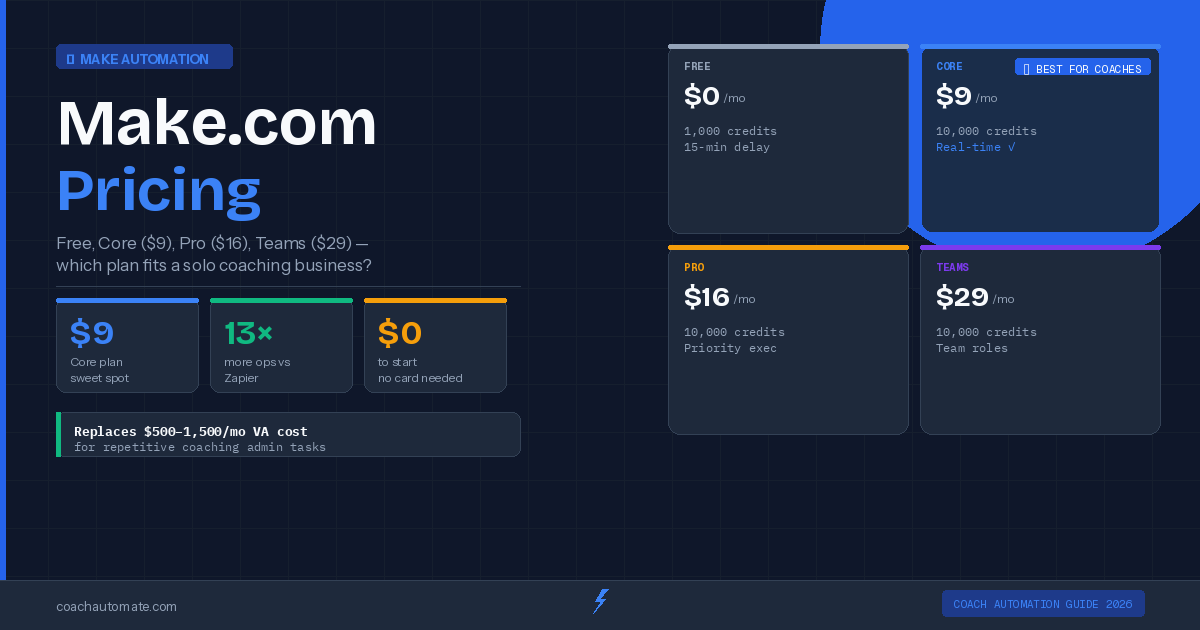
A free Make.com account (1,000 ops/month included), a scheduling tool (SavvyCal recommended), and an email platform (Kit recommended). All three have free plans — total cost to start: $0.
Workflow 1: Booking Confirmation & Reminder System
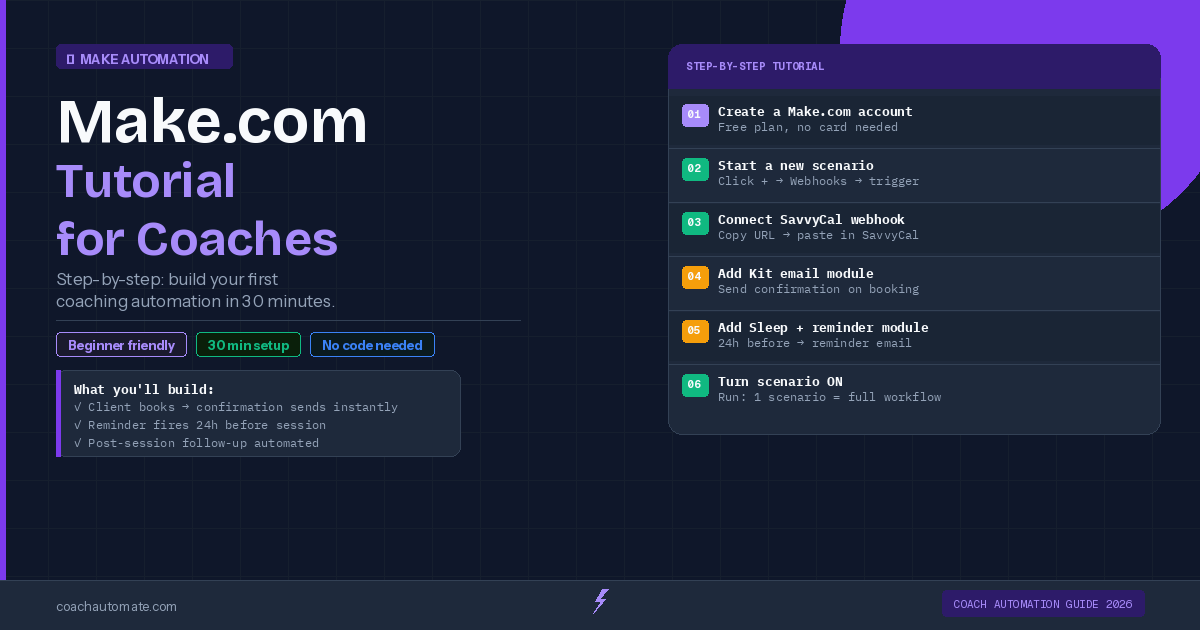
This is the highest-impact workflow for coaches. When a client books via SavvyCal, Automate workflows with Make.com triggers instantly: a personalised confirmation email sends via Grow your audience with Kit, a 24-hour reminder queues automatically, and a 1-hour reminder fires before the session. Zero manual work — ever.
| Step | Module | What Happens |
|---|---|---|
| Trigger | SavvyCal Webhook | Fires when new booking is created |
| Action 1 | Kit — Send Email | Personalised confirmation email |
| Action 2 | Make.com Sleep | Wait until 24h before session |
| Action 3 | Kit — Send Email | 24h reminder with Zoom link |
Workflow 2: New Client Onboarding
Want this in PDF form?
Get the 32-page Coach Automation Playbook — every workflow in this article, plus 5 more, ready to implement this week.
✓ Check your inbox — the playbook is on its way!
No spam. Unsubscribe anytime.
When a payment completes in Stripe, Automate workflows with Make.com fires a full onboarding sequence: welcome email, intake form link, portal access, and a calendar invite for the first session. Your new client gets everything they need within seconds of paying — before you even know they signed up.
Workflow 3: Lead Capture to Email Sequence
Every lead who downloads your freebie or fills in a contact form should enter an automated nurture sequence immediately. This workflow adds them to Grow your audience with Kit with the correct tags, triggers the welcome sequence, and logs the lead in your Notion CRM — all in one Make.com scenario triggered by your website form.
Workflow 4: Post-Session Follow-Up
Two hours after a session ends, Make.com sends an automated follow-up via Kit with session highlights, action items, and a rebooking link. Three days later, a check-in email fires automatically. Seven days later, a gentle rebooking nudge. Coaches who implement this workflow report 40-60% higher rebooking rates.
Workflow 5: Payment Confirmation & Receipt
When Stripe receives a payment, Automate workflows with Make.com sends a branded receipt email, updates the client record in Notion, and tags the contact in Kit as a paying client — which triggers the appropriate client email sequence. When a payment fails, a polite retry email sends automatically within the hour.
Start with Workflow 1 (booking + reminders) — it saves the most time and is the fastest to build. Each subsequent workflow adds roughly 1 hour saved per week. By the time all five are running, your coaching admin time is effectively zero.
Start Building These Workflows on Make.com
Free plan includes 1,000 operations/month — enough to run all 5 workflows for a coaching practice with up to 20 sessions/week.
Start Make.com Free → →Connect Make.com to Kit for Email Automation
Kit's free plan up to 10,000 subscribers. Native Make.com integration — no extra setup required.
Start Kit Free → →Get the Coach Automation Playbook — Free
One practical automation tip a week, plus the 32-page playbook as soon as you sign up. No filler, unsubscribe in one click.
✓ Check your inbox — the playbook is on its way!
Something went wrong. Please try again.
No spam. Unsubscribe anytime. We respect your inbox.