Disclosure: This post contains affiliate links. If you sign up through our links, we earn a small commission at no extra cost to you. We only recommend tools we use and trust.
This post contains affiliate links. If you sign up through our links, we earn a small commission at no extra cost to you. We only recommend tools we use and trust.
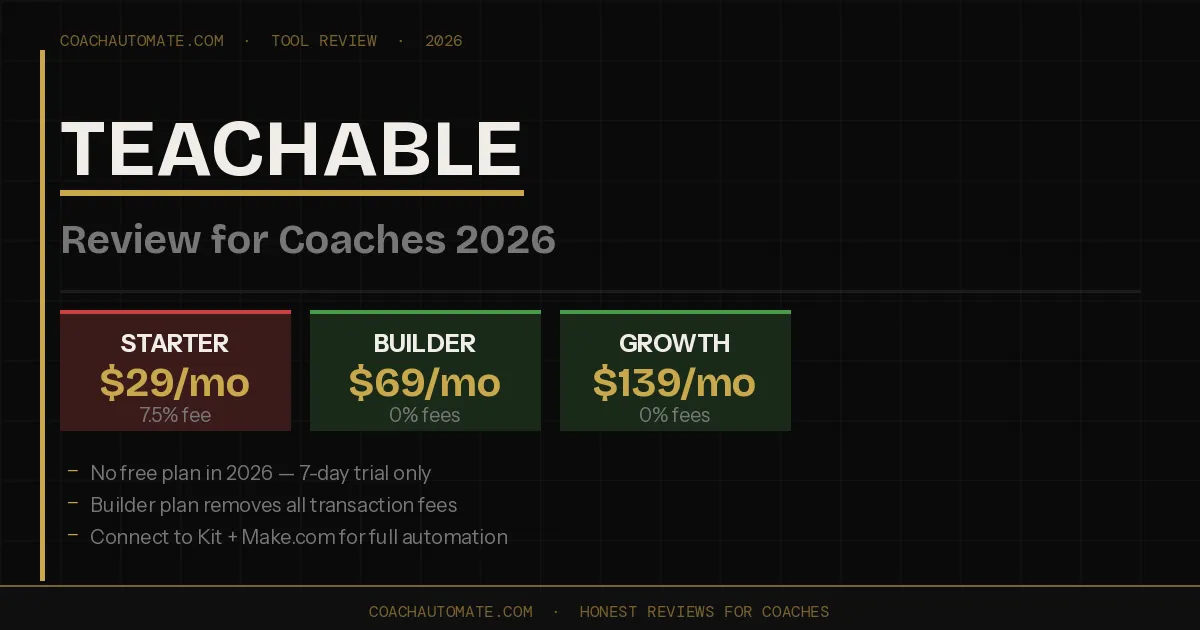
Teachable ditched its free plan and now caps students and products per tier. Builder at $69/month eliminates transaction fees, making it worth upgrading if you're serious about coaching. Pair it with Kit and Make.com to fill the missing email automation gap.
Last reviewed: May 2026 by CoachAutomate Team
Teachable is one of the most recognised course platforms for coaches and creators — but its 2026 pricing overhaul changed the picture significantly. The free plan is gone. Student and product caps are now enforced. And the Starter plan charges a 7.5% transaction fee that quietly eats into every sale. Here is the honest breakdown of whether Teachable still makes sense for coaches in 2026, and exactly which plan to choose if it does.
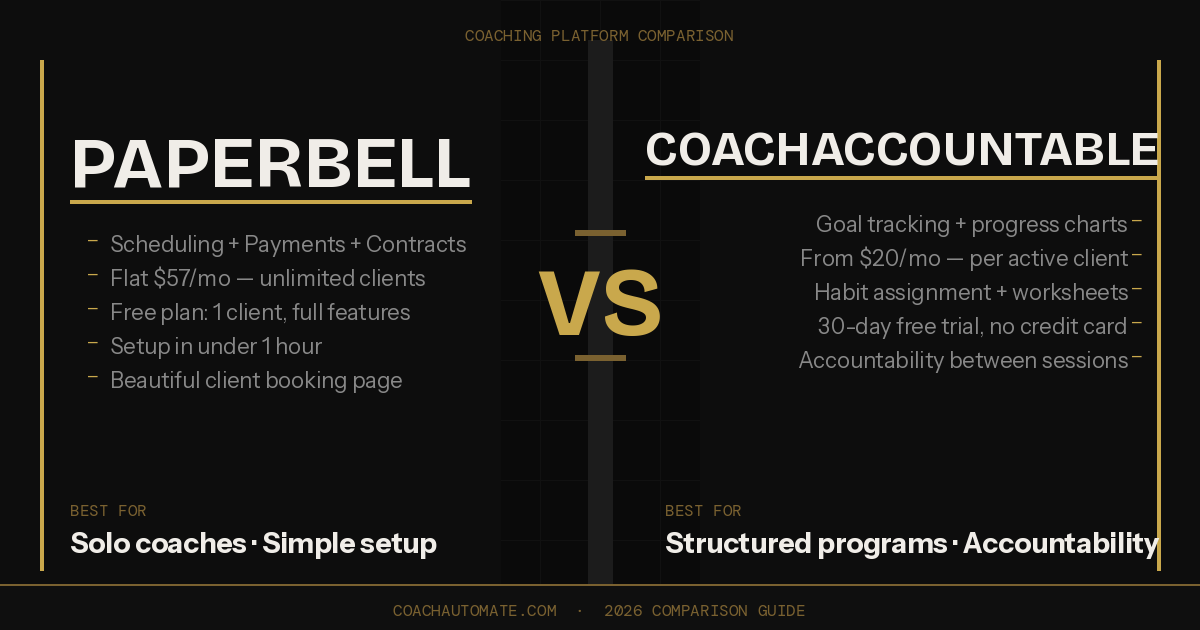
Related: Paperbell vs CoachAccountable 2026
Related: Best Automation Tools for Coaches
Plans: Starter ($29/mo annual), Builder ($69/mo), Growth ($139/mo), Advanced ($309/mo). No free plan. 7-day free trial. Transaction fees: 7.5% on Starter, 0% on Builder and above. Best for: coaches who sell online courses or group programs and already have a marketing stack.
Teachable Pricing 2026: All Four Plans
| Plan | Price (annual) | Transaction Fee | Products | Students |
|---|---|---|---|---|
| Starter | $29/mo | 7.5% per sale | 1 product | 100 students |
| Builder | $69/mo | 0% | 5 products | 1,000 students |
| Growth | $139/mo | 0% | 25 products | Unlimited |
| Advanced | $309/mo | 0% | 100+ products | Unlimited |
Selling a $500 coaching program on the Starter plan costs $37.50 in Teachable fees plus ~$14.80 in Stripe fees — $52.30 total per sale. On Builder, that drops to $14.80. If you're selling anything above $200 regularly, Builder pays for itself within a few sales per month.
What Teachable Does Well for Coaches
Want this in PDF form?
Get the 32-page Coach Automation Playbook — every workflow in this article, plus 5 more, ready to implement this week.
✓ Check your inbox — the playbook is on its way!
No spam. Unsubscribe anytime.
Teachable's core strength for coaches is its course delivery infrastructure. Unlimited video hosting, drip content scheduling, quizzes, certificates, and a mobile app for students are included on every plan. If your coaching business involves a structured online program — a signature course, group coaching with curriculum, or a self-paced module-based offer — Teachable handles delivery cleanly without requiring technical setup.
The built-in affiliate program (available on Builder and above) is useful for coaches who want to incentivise clients or partners to refer new students. Payment flexibility is strong — subscriptions, payment plans, one-time purchases, and upsells all work out of the box. Stripe and PayPal integration means clients can pay however they prefer.
Unlimited video hosting on all plans. Drip content and course scheduling. Built-in quizzes, certificates, and mobile app. Flexible payment options — subscriptions, plans, upsells. Affiliate program on Builder and above. 7-day free trial, 30-day money-back guarantee.
Where Teachable Falls Short for Coaches
Teachable is a course delivery tool, not a marketing platform. It has no email automation, no lead nurture sequences, and no CRM. If your coaching business depends on automated follow-ups, onboarding sequences, or subscriber nurturing, you need a separate email platform alongside Teachable. This is not a dealbreaker — most serious coaches run a dedicated email tool anyway — but it means Teachable is never truly all-in-one.
The 2026 pricing overhaul also introduced hard student and product caps that did not exist before. The Starter plan is limited to 1 product and 100 students — which means a single group coaching cohort can fill it. If you hit the limit mid-launch, you're forced to upgrade immediately. Connecting Teachable to Grow your audience with Kit via Automate workflows with Make.com solves the email gap — when a student enrols in Teachable, Make.com automatically adds them to Kit with the correct tags and triggers your onboarding sequence.
No free plan — Starter at $29/mo with 7.5% transaction fee. Hard student and product caps on lower plans. No built-in email automation or CRM. No free plan anymore (dropped in 2026). Customer support response times reported as slow. Not ideal without an existing marketing stack.
Which Teachable Plan Should Coaches Choose?
For most coaches, Builder at $69/month (annual) is the right starting point. The 0% transaction fee pays for itself quickly — if you sell even two $500 coaching packages per month, the fee savings alone cover the plan cost. Starter only makes sense if you're testing your very first offer with a tiny audience and your revenue is under $300/month, where the transaction fees are still less than the upgrade cost.
| If you... | Choose this plan |
|---|---|
| Testing your first course offer, under 100 students | Starter — $29/mo (accept the 7.5% fee short-term) |
| Selling regularly at $200+ per course or program | Builder — $69/mo, 0% fees, best value for most coaches |
| Running a coaching school with team and multiple programs | Growth — $139/mo, unlimited students, white-label |
| Just exploring, not ready to commit | Start 7-day free trial on Builder — no credit card needed |
The Right Stack Around Teachable
Teachable works best as the course delivery layer in a broader coaching stack. Pair it with Grow your audience with Kit for email automation and Automate workflows with Make.com to connect them. When a student enrols in your Teachable course, Make.com fires instantly: adds them to Kit with the correct tags, triggers your welcome sequence, and logs them in your Notion CRM. The entire post-enrolment process runs automatically — before you see the notification.
Try Teachable Free for 7 Days
No credit card required. Full access to Builder features including 0% transaction fees, affiliate program, and unlimited video hosting.
Start Teachable Free Trial → →Connect Teachable to Your Email Stack
Make.com connects Teachable to Kit, Notion, and Stripe in one automated workflow. Free plan includes 1,000 operations/month.
Start Make.com Free → →→ Deep dive: Paperbell vs CoachAccountable: Which Coaching Platform Is Better in 2026?
Get the Coach Automation Playbook — Free
One practical automation tip a week, plus the 32-page playbook as soon as you sign up. No filler, unsubscribe in one click.
✓ Check your inbox — the playbook is on its way!
Something went wrong. Please try again.
No spam. Unsubscribe anytime. We respect your inbox.